Amber Money - Expense Manager1.0.26
Publisher Description
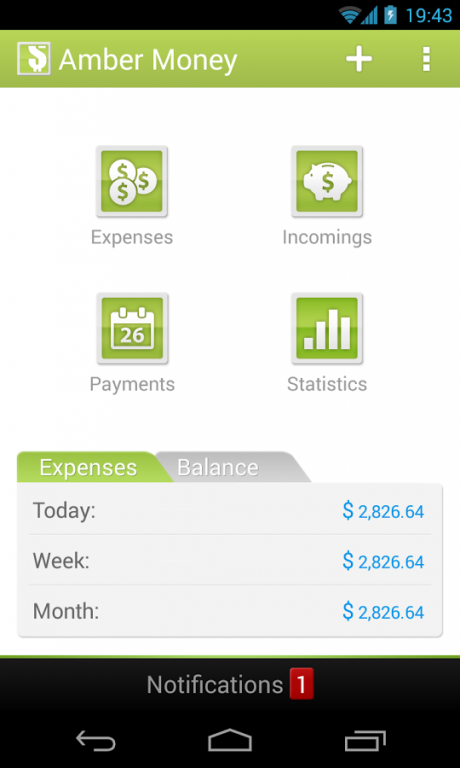
Amber Money is a simple way to manage your personal finances.
★ This application helps your budget and tracks your spending quickly and easily.
★ Business expenses, personal expenses, travel expenses can all be managed rapidly using Amber Money expense manager's simple and intuitive user interface.
★ Interactive reports and graphs let you analyse income, expenses, payments, cash flow and balance over various date.
★ Amber Money acts like financial calendar, alerts you to debts, and reminds you of transactions. Add customized categories for income or expenses.
List of extensive features:
- Tracking expenses and incomes by week, month and year as well as by categories
- Schedule the payments and recurring payments
- Attach location and photo to expenses
- Simple and clear statistics
- Payment alerts
- Dropbox and SD Card backup
- Customize expense categories
- Support multiple currencies
- Full tablet support
- PIN code
Operates in English, French, Spanish, German, Korean and Russian. Works with all types of currencies. Backup and restore your data.
Cheaper than Toshl - you buy PRO version once. No subscription!
Amber Money is much easier than My Budget Book, EasyMoney, Mint, Pageonce, Mint.com, Daily Money, Spendroid, You Need a Budget, Money Manager.
If anyone can help with translating to other languages or giving valuable feedback, don’t hesitate to email me via: support@amberfog.com
About Amber Money - Expense Manager
The company that develops Amber Money - Expense Manager is Amberfog. The latest version released by its developer is 1.0.26. This app was rated by 1 users of our site and has an average rating of 3.0.
To install Amber Money - Expense Manager on your Android device, just click the green Continue To App button above to start the installation process. The app is listed on our website since 2015-02-26 and was downloaded 17 times. We have already checked if the download link is safe, however for your own protection we recommend that you scan the downloaded app with your antivirus. Your antivirus may detect the Amber Money - Expense Manager as malware as malware if the download link to com.amberfog.money is broken.
How to install Amber Money - Expense Manager on your Android device:
- Click on the Continue To App button on our website. This will redirect you to Google Play.
- Once the Amber Money - Expense Manager is shown in the Google Play listing of your Android device, you can start its download and installation. Tap on the Install button located below the search bar and to the right of the app icon.
- A pop-up window with the permissions required by Amber Money - Expense Manager will be shown. Click on Accept to continue the process.
- Amber Money - Expense Manager will be downloaded onto your device, displaying a progress. Once the download completes, the installation will start and you'll get a notification after the installation is finished.
Program Details
System requirements
Download information
Pricing
Version History
version 1.0.26
posted on 2015-02-26
1.0.26,- hotfix,1.0.25,- payments fix,1.0.23,- bugfix,- fixed comma separator in CSV export,- xxhdpi fixes for various tablets, Kindle devices support,- Portuguese and Chineese translations
version 1.0.6
posted on 2013-05-25
Several fixes and updates
